Velox Mobile
NEW iPhone · iPad · Android

Your Salesforce org,
in your pocket

The native console for admins and developers. SOQL, Apex, debug logs, deployments, users and Flows, so you can handle an incident without opening your laptop.

No accountNo backendNo tracking
Active orgacme-prod Production
Metadata · Check Only✓ Validation passed
Daily API Requests91% used ⚠
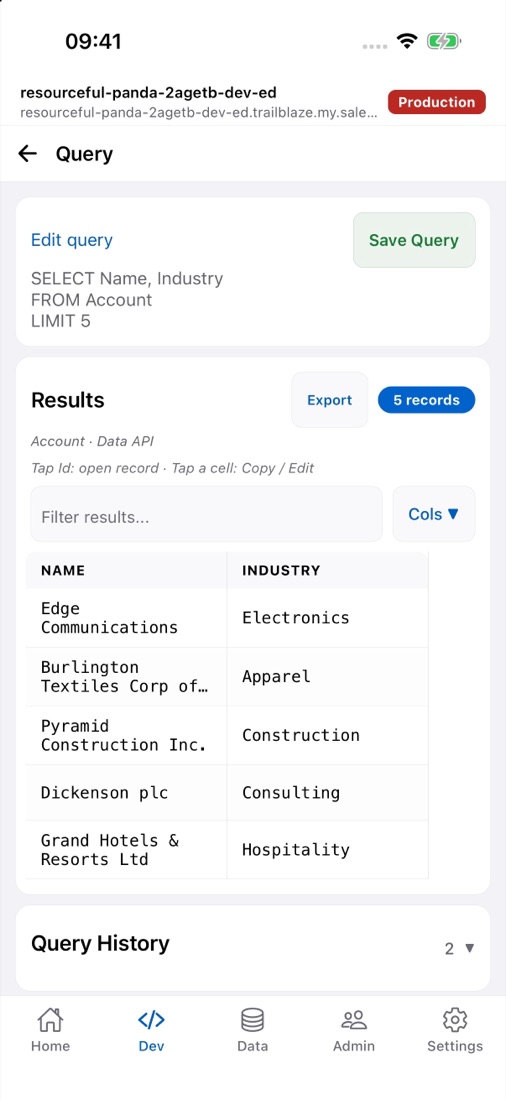
SOQL query screen in Velox Mobile showing Account results
// 11:47 pm, your phone buzzes

A locked-out user. A stuck job. You, away from your desk.

Velox Mobile is built for those short interventions: get in, look, act, and get back to your evening. Every screen shows which org and environment you're in, and sensitive actions in production ask for confirmation.

    // try it right here

    Don't take our word for it. Tap around.

    Three working demos that behave like the app, running in your browser with sample data. Nothing connects to Salesforce.

    // tools

    The whole app. Go ahead, tap it.

    Every tab and every tool inside this phone works. Run Apex, run tests, follow a deployment, zoom a flow or switch to dark mode, all with sample data.

    // see it in action

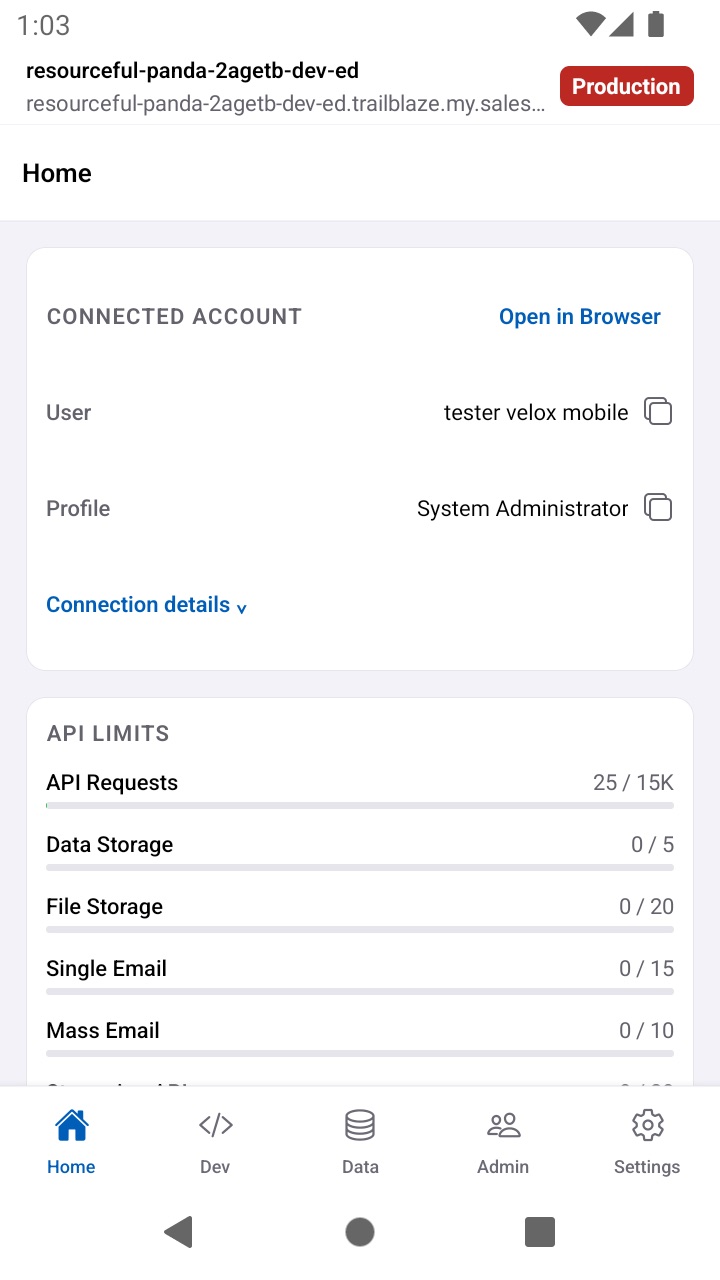
    Native on iPhone and iPad. And on Android too.

    Real screenshots from a Salesforce demo org. Tap any of them to see it full size.

    ← swipe to see more →

    // privacy

    Your orgs never go through any server of ours.

    The app talks directly to Salesforce. There's no account to create, no backend storing your data, and no tracking of what you do.

    0

    accounts

    You connect your org with OAuth and PKCE in the system browser, compatible with passkeys and MFA. There's no sign-up of our own.

    0

    servers

    Tokens live in the device keychain (THIS_DEVICE_ONLY). Saved queries, history and preferences stay on the device too.

    0

    trackers

    No ads and no analytics. Diagnostics stay on your phone, and you decide whether to share them.

    🔐 OAuth PKCE🗝 Keychain / Keystore🌐 UI Bridge: open the org with a single-use URL🧹 Delete all data from the device🏷 Org and environment banner, always visible
    // pricing

    Try everything with your org. Pay once, when you act.

    Starting with version 1.1.0, the download is free and every tool opens with your own org. Premium is a one-time in-app purchase, and we only ask for it when you're about to make a change.

    Free
    US$0
    To look around, troubleshoot and get to know the app.
    • 1 connected org
    • 1 SOQL tab and history of the last 5 queries
    • Read Apex, Visualforce, LWC and Aura code
    • Read debug logs
    • Import up to 10 records
    • Browse metadata and build package.xml
    • View labels, custom settings and custom metadata
    • Org Limits, API version and aborting jobs, always free
    One-time purchase
    Premium
    Pay once
    No subscription and no auto-renewal. Your local price is shown in the store.
    • Multiple orgs with quick switching
    • Unlimited SOQL tabs and history
    • Edit and save code
    • Trace users and auto-refresh logs
    • Import with no record limit
    • Retrieve, validate and deploy metadata
    • Edit configuration and reorder the Flex Queue

    Why this way? Locking whole screens would make you pay before seeing the tool work with your org. We'd rather you see the value first and decide later.

    // first connection

    Connect an org in four steps.

    You need a Salesforce account with API access. If your company requires it, your administrator must approve the app.

    Install the Connected App

    In Setup → Connected Apps OAuth Usage → Install. New orgs block third-party apps that aren't installed.

    Adjust the policies

    Enable Relax IP restrictions and leave Require Secret for Web Server Flow unchecked: the app is a public client using PKCE.

    Passkeys and MFA

    In My Domain, turn on the native browser for authentication on iOS and Android. Without it, passkey login won't work.

    Sign in

    Pick the environment (production, sandbox or My Domain), sign in with your usual user, and you're set.

    // questions

    What people usually ask.

    Is this an official Salesforce app?

    No. Velox Mobile is an independent app and is not affiliated with or sponsored by Salesforce, Inc. It only connects to the orgs you authorize, and what you can do depends on your permissions and edition.

    Will it alert me when something breaks while the app is closed?

    No, and we'd rather say so clearly. Limit alerts (at 90%) and deployment tracking work while the app is open and connected. iOS may suspend it in the background, so we don't offer continuous monitoring.

    Is it safe to use in production?

    A fixed banner always shows the active org and environment, and sensitive actions in production or unverified environments ask for confirmation. When deploying metadata, the default is to validate (Check Only). Still, use a sandbox for testing: confirmations don't replace your change management or backups.

    What data does it store?

    Connections, saved queries, snippets, history and preferences are stored on the device. From Settings, or from the login screen, you can delete all of it at once.

    Is Premium a subscription?

    No. It's a one-time in-app purchase with no auto-renewal. You can restore it from Settings if you reinstall the app.

    Is it available on Android?

    The app already runs on Android, and its Google Play release is in progress. The iPhone and iPad version is already on the App Store.

    Velox Mobile icon
    Handle the next incident
    from your phone.

    Download it for free, connect your org and explore every tool before you pay anything.